Build your model by writing
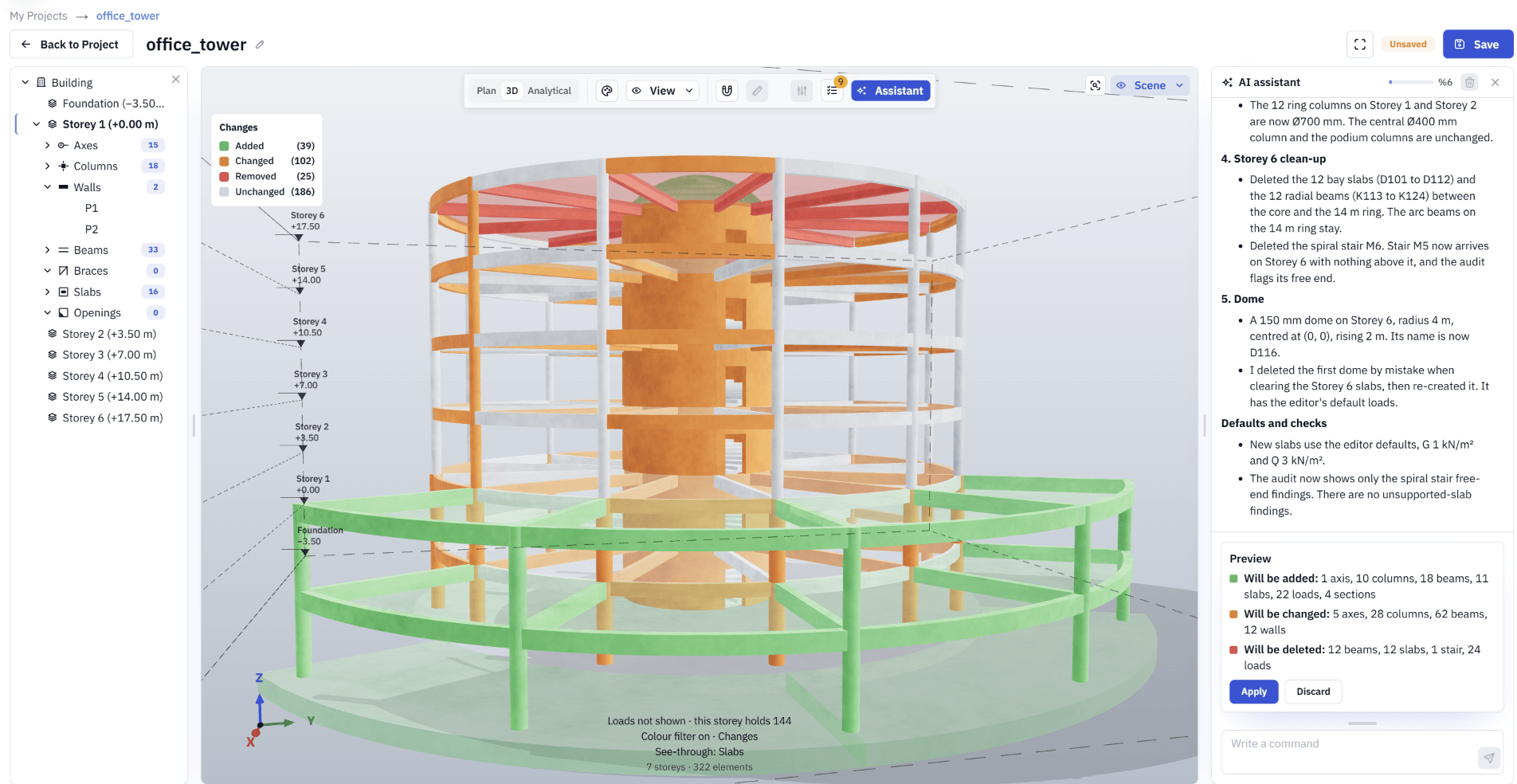
From the commands you write, the AI assistant adds axes, storeys, members and loads in the Model Editor, and changes or deletes what is already there. Every change is shown as a preview and is not applied until you accept it.
What you can do
Modelling by writing
Axes, storeys, columns, beams, walls, slabs, stairs and loads are created or changed by command. Commands can be written in any language, and the assistant replies in the language of the command.
Preview and acceptance
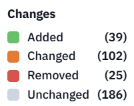
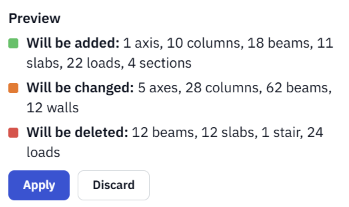
What will be added, removed and changed is listed with counts, and the members to be added, removed and changed are shown in the model in their own colours. When you choose Apply, the change goes into the model and can be undone in one step.
Reviewing the model
The assistant summarizes the model, lists members, takes quantities and runs the model audit.
Calculations and engineering questions
The assistant runs no analysis or calculation. Its answers to structural engineering questions are opinions for the engineer to weigh.
How your data is used
The assistant runs only when you turn it on. The commands you write and information from the model are sent to our service provider to produce the replies. Your conversations appear only in your account and can be deleted at any time. Details are in the Privacy Policy.
Included in plans
The assistant is included in paid plans at no extra charge. The usage allowance is shared across the organisation and shown as a percentage.
Questions
- Can I use the assistant during the trial?
- The assistant is not offered on the Free plan or during the trial. It is included in paid plans.
- Can the assistant make mistakes?
- Yes. Because it works with artificial intelligence, the assistant can produce wrong or incomplete results. That is why every change is shown as a preview, and you are responsible for the changes you accept.
- Where can I use the assistant?
- For now the assistant is available in the Model Editor. It is planned for the calculations as well.
Start calculating in minutes.
Sign up, pick a calculation, and produce your first auditable report.